WaveWarp lets you draw a live audio chain on your computer. The phone app is the player: sign in once, pick a board, and hear it run through your mic in real time — or record first and play it back.
Board from your account
No drawing on the phone — that is what the desktop is for. The app keeps it to the essentials.
Sign in once — the app remembers you.
New here? Sign up sends a 6-digit code to your email, then you pick a password.
Enter your email and password once. New accounts are verified with a 6-digit email code. Your login is stored encrypted in the phone's secure keystore — never as plain text.
Every board you uploaded from the desktop, listed and ready. Tap one and the app fits it to the phone automatically — the input becomes your mic, the output your speaker or headphones.
Board from your account
Tip Realtime needs headphones, so the speaker can't feed back into the mic.
Realtime runs mic → effects → out as you listen. Record captures first, then plays back the processed take — no feedback risk. Live In and Out meters show it working.
Your boards live in your WaveWarp account, so they follow you from the desktop to your phone.
Build your chain of effects on the WaveWarp DrawingBoard and save it to your account.
The board is stored safely in your account over an encrypted (https) connection.
Open the app, pick the board, and run it live through your mic — anywhere.
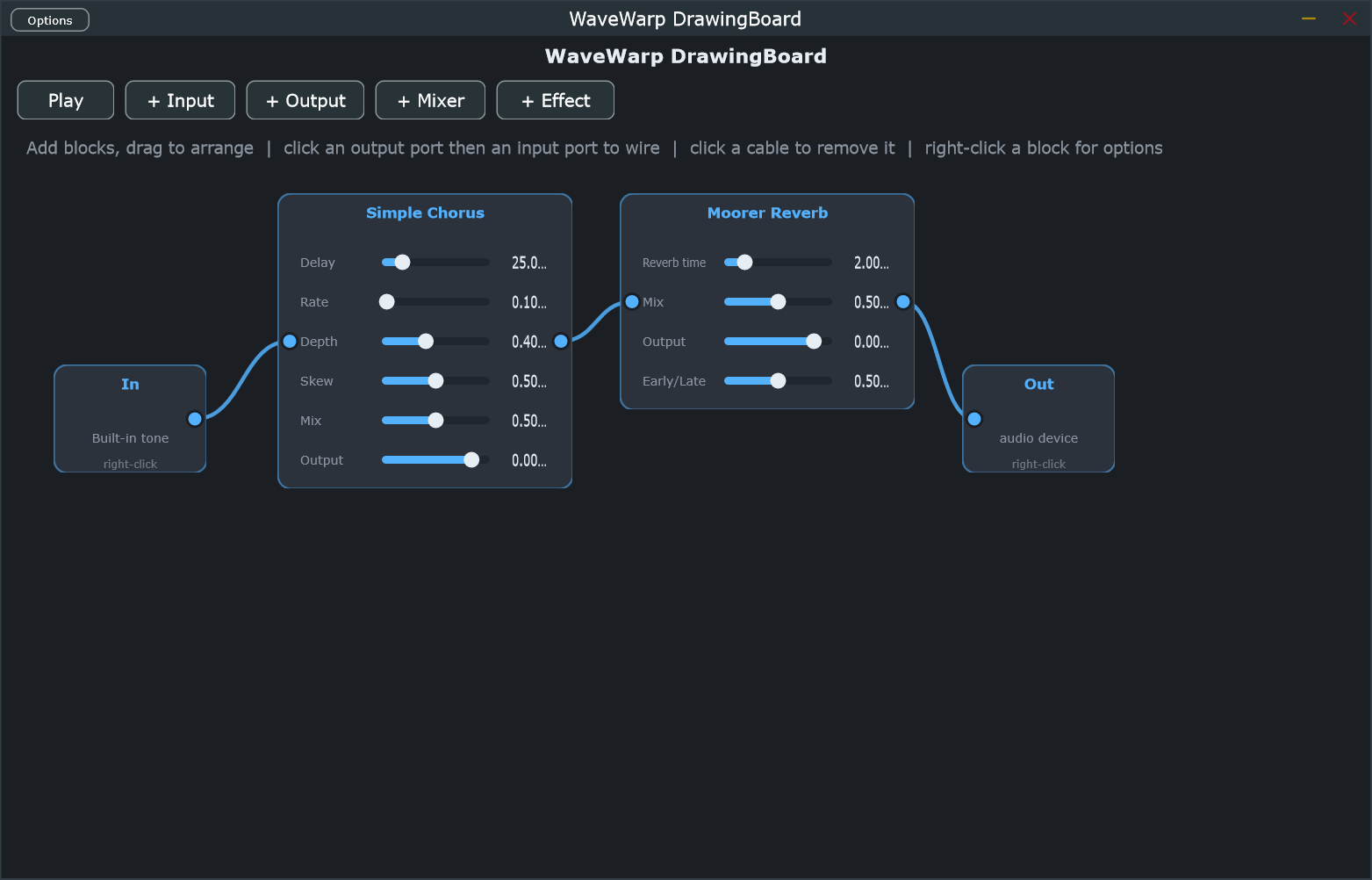
When the app fetches a board, it swaps the desktop's sound-card input for your phone's microphone and the output for your speaker or headphones. File blocks drop away. Everything else — the effects, the wiring, the sound — is identical.
Even a convolution reverb travels: the phone pulls the same impulse response from your cloud library, so the room sounds the same on both.
Hear effects on your mic as you play, or record a take and play it back processed.
Your session lives in the phone's secure keystore, refreshed silently — never plain text at rest.
Whatever you save on the desktop shows up in your list — no export, no file juggling.
In and Out meters confirm sound is coming in and going out at a glance.
A Settings screen lets you choose your default microphone and output.
On the speaker, realtime is blocked so the mic can't ring — plug in headphones and it just works.
Available for Android. To play boards you'll need a WaveWarp account and a board drawn on the desktop.
The Android app is currently in Google Play's internal testing track. If the Play link doesn't open for your account yet, ask for an invite.